Nothing
uploaded
Try your own file
Choose a .sqlite or .db file, or drop one here. This page reads its header and its list of tables in the tab.
For example: Sample shop.sqlite 4 tables, 1 view, 2 indexes, 1 trigger
- Size
- 72 KB
- Pages
- 9 × 8.0 KB
- Journal
- Rollback
- Text
- UTF-8
- Last written by
- SQLite 3.54.1
- User version
- 0
- customers
- products
- orders
- order_items
The editor’s sample database. Choose a file to read yours.Open the editor
Opening a file copies it into this browser’s private storage, where the official SQLite engine reads it. There is no server behind this page.
The page is static files, and after your first visit it loads with no connection at all. Your databases stay on this device until you delete them or clear this site’s data, so download a copy of anything you can’t lose.
The reader beside this opens a file’s first page right here, without the engine, and lists its tables.
The editor
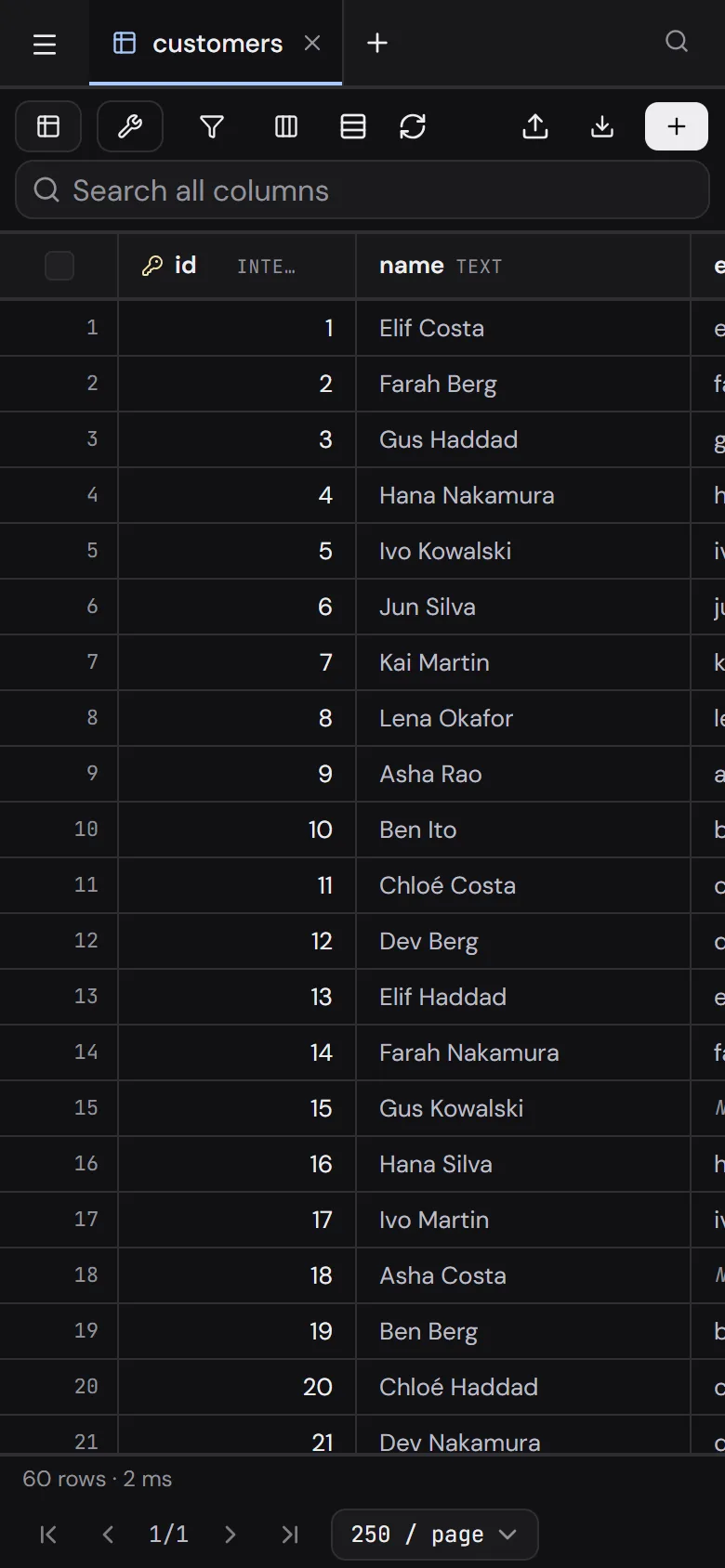
A grid on top of the real database. Sort, filter and search run in SQLite; type over a cell to change it, or write SQL with autocomplete for your own tables.
Open the editorEverything it does
Thirty things across two tools that share one set of databases. editor schema designer files
- Virtualised rowseditor
- Multi-column sorteditor
- Search every columneditor
- Filters, 15 conditionseditor
- Pin and hide columnseditor
- Edit in placeeditor
- Paste from a spreadsheeteditor
- Set NULLeditor
- Row inspectoreditor
- BLOB previeweditor
- JSON formattingeditor
- Follow foreign keyseditor
- SQL consoleeditor
- Schema autocompleteeditor
- Query planseditor
- Saved querieseditor
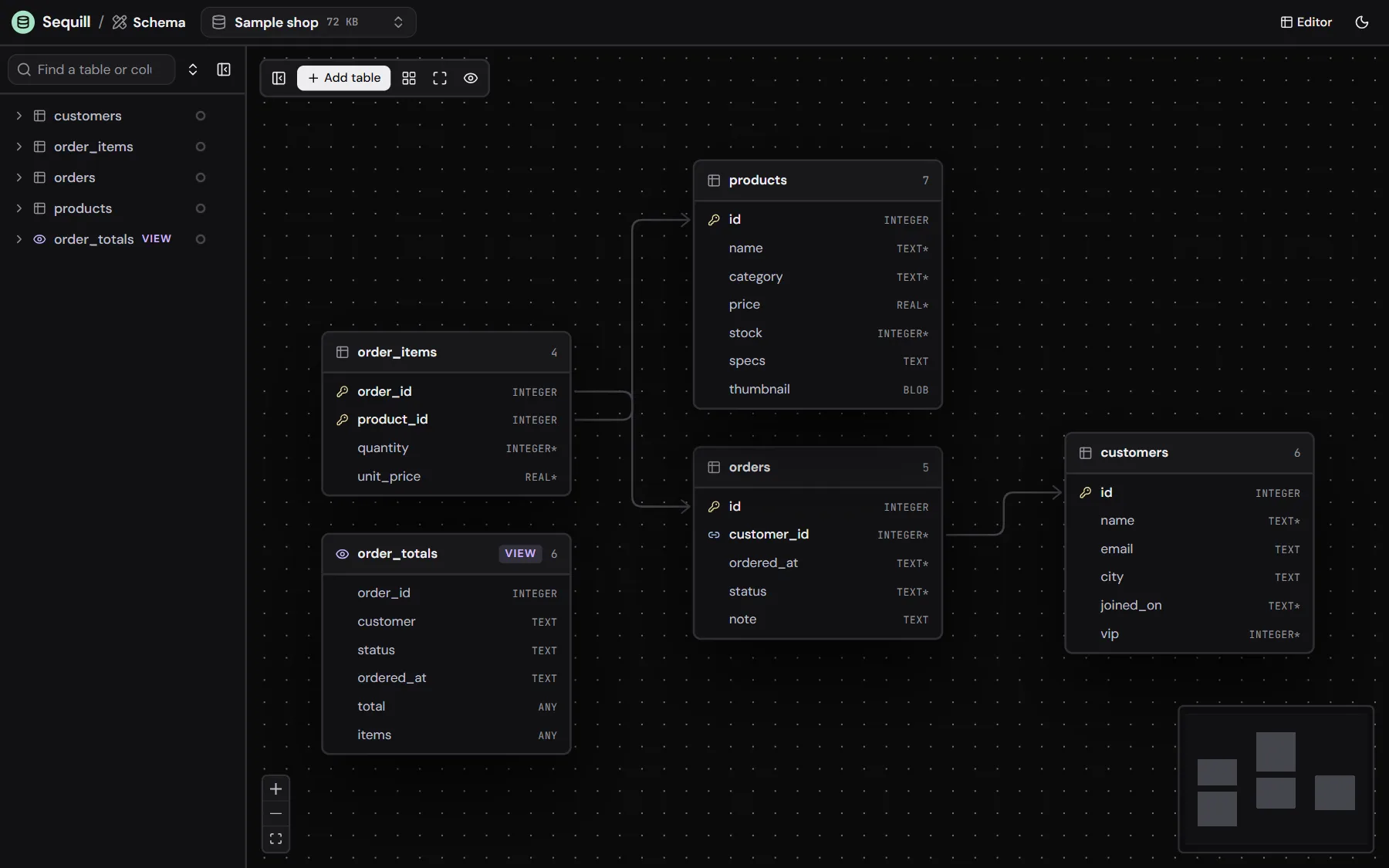
- Diagram of every tabledesigner
- Auto-arrangedesigner
- Focus one tabledesigner
- Table coloursdesigner
- Drag to link columnsdesigner
- Safe table rebuildsdesigner
- Save as a new databasedesigner
- Open .sqlite and .dbfiles
- The sample shopfiles
- Import CSV and JSONfiles
- Export CSV, JSON, SQLfiles
- Full SQL dumpfiles
- Works offlinefiles
- Install as an appfiles
The schema designer
First, add a table and give it a name.
reviewsUnsaved1- id, new columnINTEGER
Then add its columns. New ones show in green.
reviewsUnsaved4- id, new columnINTEGER
- product_id, new columnINTEGER
- rating, new columnINTEGER*
- body, new columnTEXT
Then drag from a column to link it to products.
reviewsUnsaved4- id, new columnINTEGER
- product_id, new columnINTEGER
- rating, new columnINTEGER*
- body, new columnTEXT
Last, save. It lands in one transaction.
reviews4- idINTEGER
- product_idINTEGER
- ratingINTEGER*
- bodyTEXT
Both tools, up close
The editor and the schema designer open the same databases. Switch between them from either header.
Lines follow the tables
Drag a table and every foreign key picks the sides that face each other.
Jump to anything
Every table, view and action from one box.
Nothing changes until you save
Pending edits wait behind one badge.
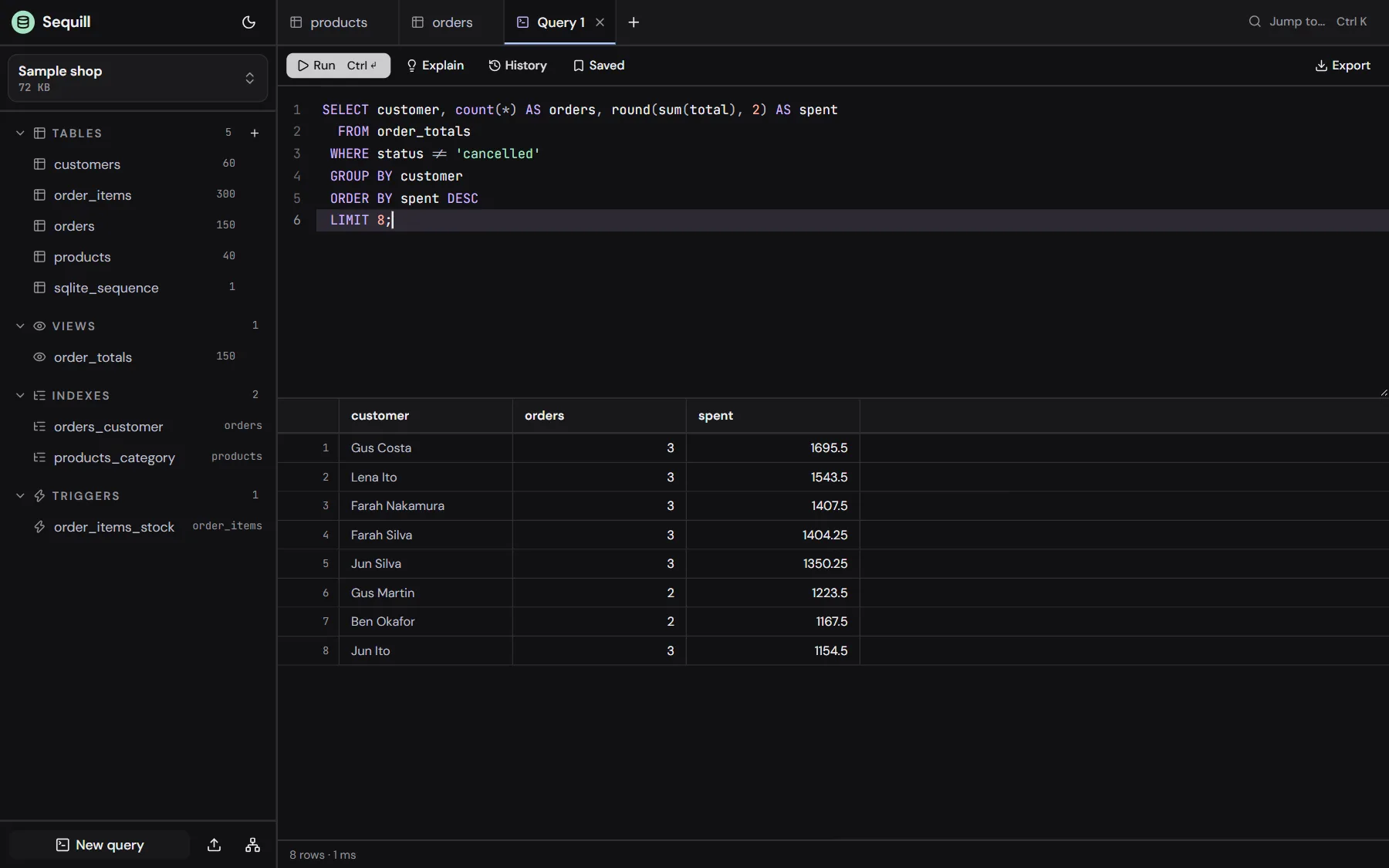
Ask in SQL
Autocomplete knows your tables and columns. Ctrl+Enter runs the script or the selection.
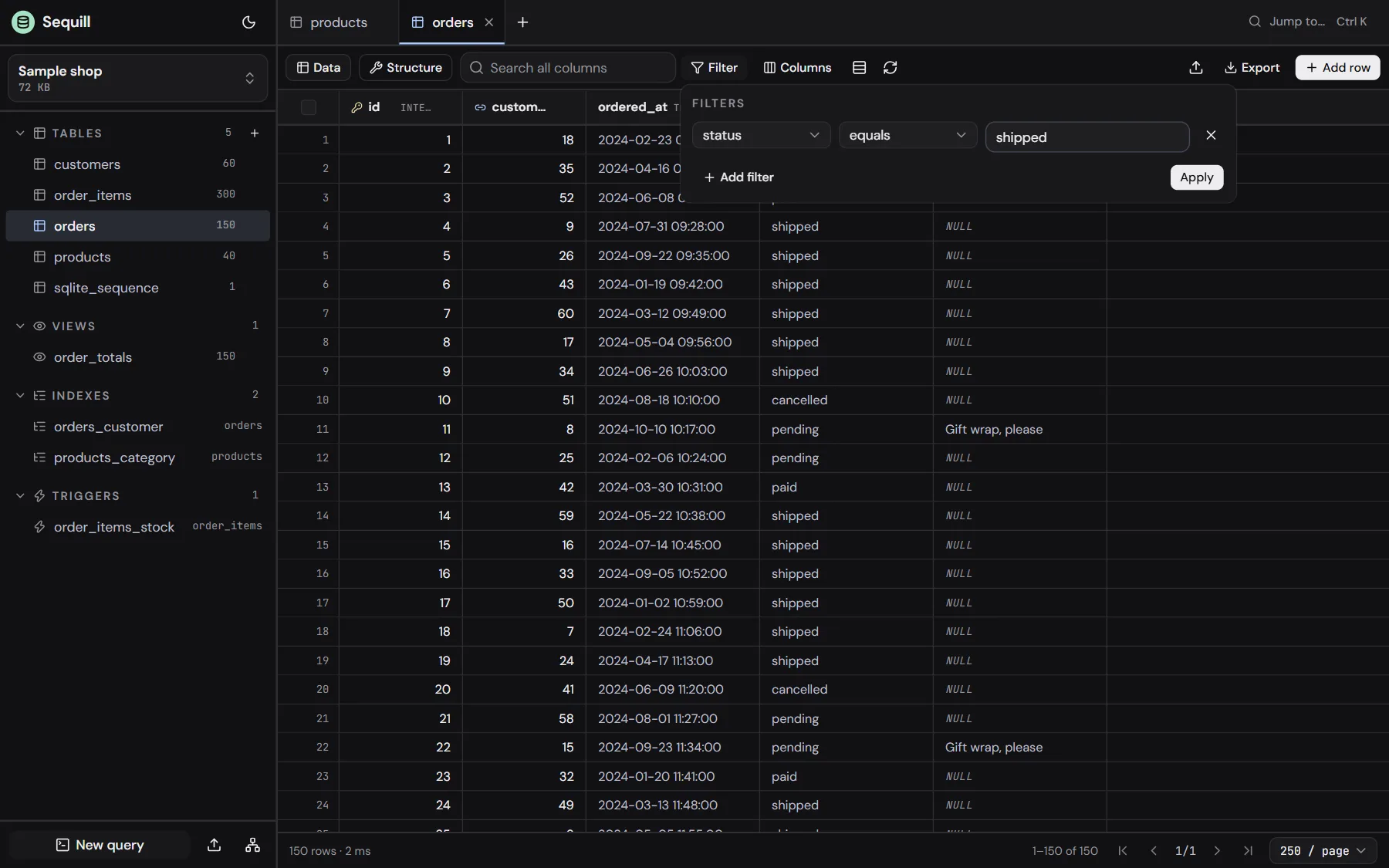
Filters run in SQLite
Fifteen conditions, joined with AND or OR.
Set NULL, or any value
Double-click, or just start typing.
Six colours, or any
Group tables on the diagram by colour.
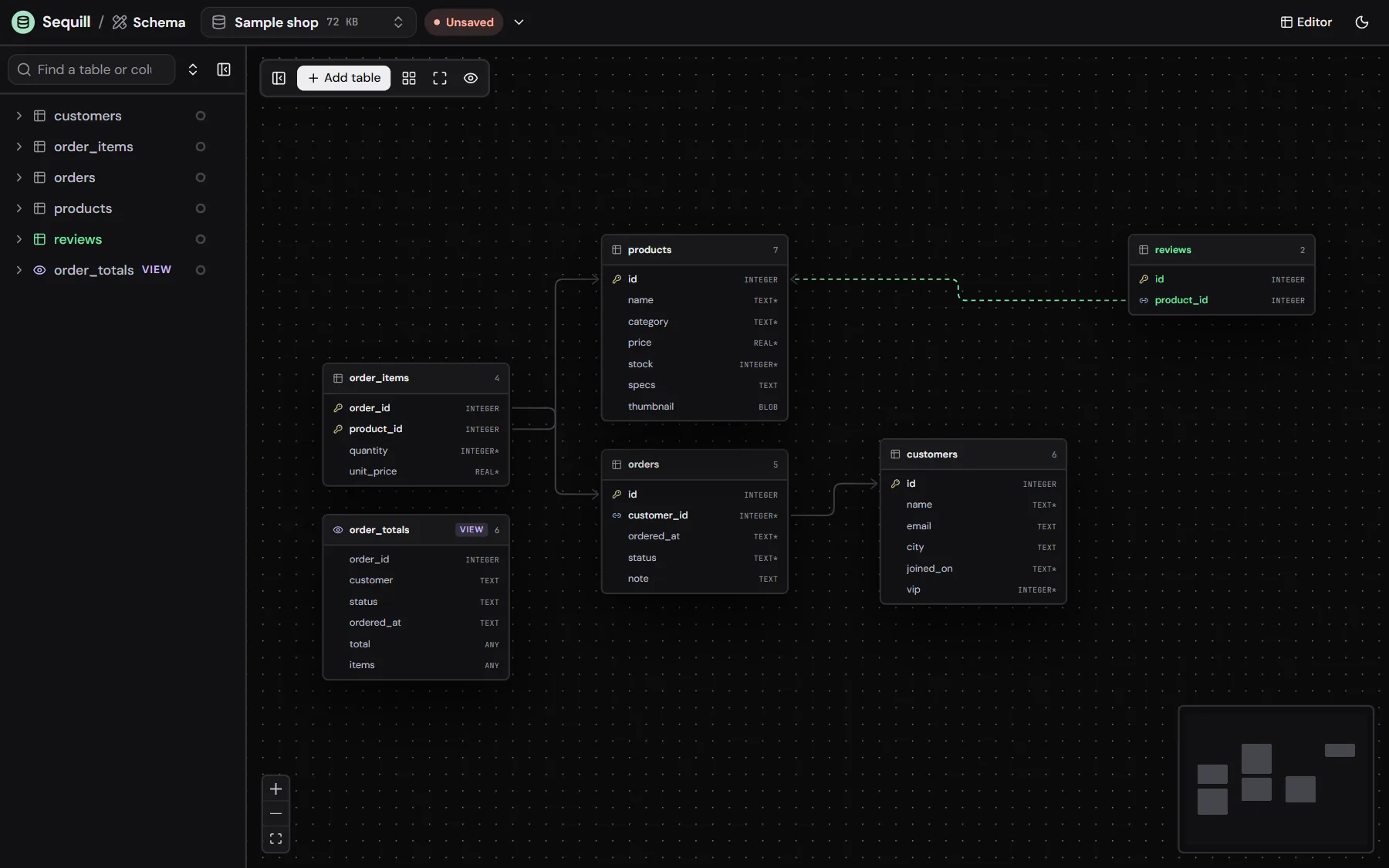
Draft in the open database
A new table and its link wait in green until you save them.
Take it with you
Any table, filter or result as a file.
Every query timed
Row count and time under each grid.
Questions
Where are my databases kept?
In this browser’s Origin Private File System: private storage that belongs to this site, on this device. Opening a file copies it there, so your original file is never changed. Download the database or a SQL dump whenever you want a copy outside the browser.
What happens if I clear this site’s data?
Your databases are deleted with it, because that is where they live. The app asks the browser for persistent storage to make automatic clean-ups less likely, but keep a downloaded copy of anything you can’t lose.
Does it work without a connection?
Yes. After your first visit the whole app is cached, engine included. You can also install it from the browser and open it like any other app.
Is it the real SQLite?
Yes: the official SQLite build for WebAssembly, version 3.54, running in a background worker. Files it writes open in any other SQLite tool, and files from any other tool open here.
What do the editor and the schema designer share?
The same databases and the same database menu. Open a file in either one and it is there in the other. A design you haven’t saved yet is kept as a draft for its database.
Can I open it in two tabs at once?
Not at the same time. The browser lets one tab hold the database storage, so a second tab shows a message until the first one closes.
How big can a database be?
As big as this browser’s storage quota for the site allows, which is usually a large share of free disk space. Very large exports are limited by memory.
Does it work on a phone?
Yes. The editor has its own phone layout, with the list of tables in a drawer.
Open a database now
Open the editoror the schema designer
Pick a file, start an empty one or try the sample shop. There is nothing to install and no account to make. New to databases, or going further? Learn them from beginner to advanced.